For Students
Student Resources
NYC Schools Account
Did you know that you can track your child’s education on any computer, phone, or tablet? The NYC Schools Account (NYCSA) (opens in a new tab) is an app that lets you see your student’s grades, attendance, fitness results, schedule, and more from anywhere and in all DOE languages: Arabic, Bengali, Chinese, English, French, Haitian Creole, Korean, Russian, Spanish, and Urdu. Get started right now! (opens in a new tab)
DOE Student Accounts
The DOE has created student accounts for every single New York City public school student, Pre-k-8.
The account gives your student access to TeachHub (opens in a new tab), which is how students access:
- Student report cards (available in the Student Documents icon)
- Multiple educational applications
- G Suite, Microsoft O365, and Zoom (using secure central accounts)
Getting Started with Your iPad
The DOE has loaned iPads to students across the city for remote learning. Visit this site if your student has questions about the ipad: Your DOE-loaned Device (opens in a new tab)
Getting Started in Google Classroom
Getting Started with Zoom
How to Use Zoom: How to Access and Use Zoom (opens in a new tab)
How to Get Started in Microsoft Teams
How to Use Teams: How to Access and Use Microsoft Teams (opens in a new tab)
TeachHub
TeachHub (opens in a new tab) is a portal to support students and teachers. The portal provides quick links to essential applications for remote learning, including:
- Digital Curricula (SS, ELA (SPAN. & ENG.)
- Student report cards (available in the Student Documents icon)
- Multiple educational applications
- G Suite, Microsoft O365, and Zoom (using secure central accounts)
- And more!
To Sign In
- Students must sign in with their DOE Student Accounts (opens in a new tab)
- Teachers must sign in with their DOE credentials
- School-issued G suite accounts will not work, you must use the DOE log in.
Helpful links for families
 WorkWell Digital: NYC Wellness Anywhere (opens in a new tab)
 Respect for All: the NYC Discipline Code prohibits harassment, intimidation, discrimination and bullying (opens in a new tab)
 PACER's National Bullying Prevention Center (opens in a new tab)
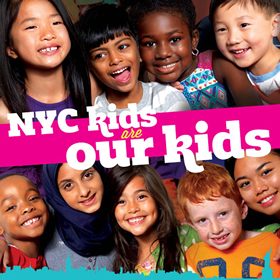 NYC Kids Are Our Kids: a parent's guide to foster care (opens in a new tab)